
Category: Opera
Facebook Drops Google Chrome Recommendation, Replaces It With Opera
 More fuel to the rumor’s fire.
It looks like Facebook management decided not to bother with the Google Chrome anymore as their latest “unsupported web browsers” page has since then removed the search giant’s web browser.
If you haven’t been living under a rock for the last few days, chances are, you’ve heard about the social giant’s plans to acquire Opera.
Continue Reading
Wednesday’s Fun: Opera Is Broken In Opera (Updated)
 Or how IE9 renders the poorly written code.
Here is an interesting observation for you. Today, guys behind the Norwegian web browser have released a new Beta build, which features various improvements and bug fixes.
However, the site appears to be broken when using previous snapshot (Build 1433) and even current one.
Continue Reading
Why Facebook Might Buy Opera
With all the speculations floating around, you might be wondering that it doesn’t make much sense for the Facebook to buy Opera Software, however, this is not exactly the case.
According to the recent rumors, the social networking giant is working on a Facebook Phone (FacePhone, if you will), which, as you might guess, requires a decent web browser and this is exactly where Opera shines.
Continue Reading
Facebook To Buy Opera Software?
Oh boy, here we go…
Well, here is something to get you going. According to the latest rumor from TNW, Opera Software is looking for a potential buyer, ranging from Yandex, Google (we don’t see the deal being approved by the EU) and most importantly, Facebook.
Having already acquired Instagram for a cool $1 billion, Facebook’s next target might indeed be Opera, which, depending on its future plans (dumbing down + social integration), will upset a lot of Opera’s loyal users.
Continue Reading
Latest Opera 12 Build “Squashes” The Position:Fixed Bug
RC on the way.
Good news everyone, the latest build of the Opera 12 (Beta) web browser includes a partial fix for the position:fixed bug, which bothered people for quite some time.
What do we mean by a “partial fix”? Well, they made some adjustments and optimizations to improve the overall user experience. However, you might still notice scrolling issues on some of the web sites, such as Facebook or TheVerge. Still, it’s a great start and we are eager to see further enhancements.
Continue Reading
3 Main Issues With Maxthon 3
 If you’ve been following FavBrowser for a while, then you will know that we like Maxthon quite a lot. It does a lot of things right, however, there are still some flaws that can ruin your experience, especially if you are as judgmental as we are.
So what are those flaws?
1. Clunky Speed Dial
Continue Reading
Is Opera Metro For Windows 8 In Development? Windows Phone 8 Version Planned
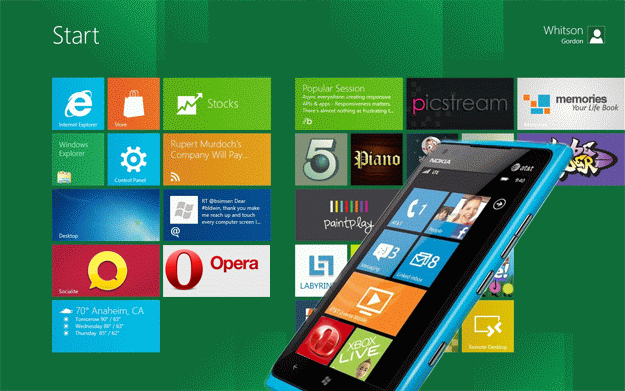
Don’t get too excited, speculations and rumors.
Now here is something to kick start your day. As you might know, Windows Phone 7.5 does not have a native code kit (NDK), which limits your choice to IE and IE based web browsers.
Continue Reading
Download Opera 11.64

Well, here is something to cheer you up; Opera Software has recently released a minor update for its Opera web browser, which includes a couple of stability improvements but most importantly, a security fix that prevents hackers from executing the arbitrary code.
There is not much else to say, really, just a small update to improve user experience,
Continue Reading
Mozilla Blames Microsoft, Says They Block Other Browsers
Forgets about the iPad.
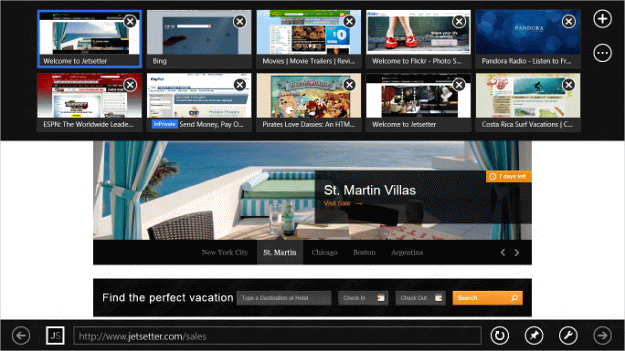
Here is some drama for a Thursday night. In the tablet market where Apple pretty much dominates it with a healthy 90% market share mark (in terms of shipments), Mozilla decided to complain about no other than Microsoft, which, according to them, will not allow other browsers than IE to run in the Windows Classic mode on an ARM based, Windows RT OS.
Continue Reading
Opera Mini Invades Bada OS

After the tremendous amount of requests, it looks like Bada, the operating system from Samsung, fans got what they wanted as Opera Software has recently announced the availability of the Opera Mini for the Sammys platform.
Just like you would expect, Opera Mini 6.5.11 made no sacrifices as it includes same and well know features, such as: a Speed Dial, data savings report, visual tabs and more.
You can download it from the SamsungApps web page.


