
FavBackup 2.1.3

FavBackup is a simple solution for you to backup and restore web browser settings and other data on Windows 7/Vista/XP/2000 systems. No installation required. Don’t forget to check our help section.
If you find any bugs/issues, please use contact form or Twitter to report them.
Screenshots
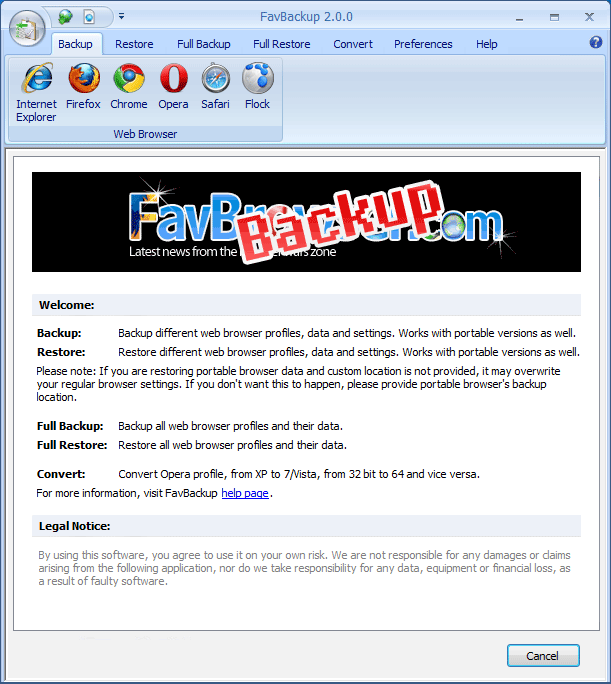
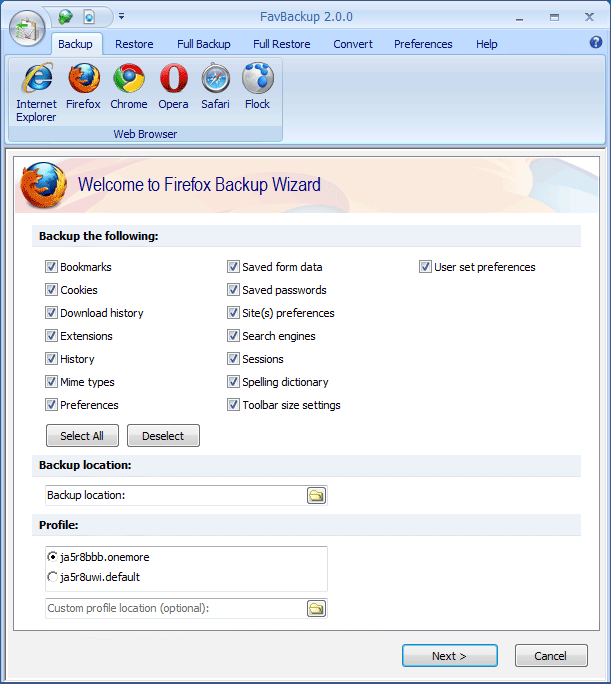
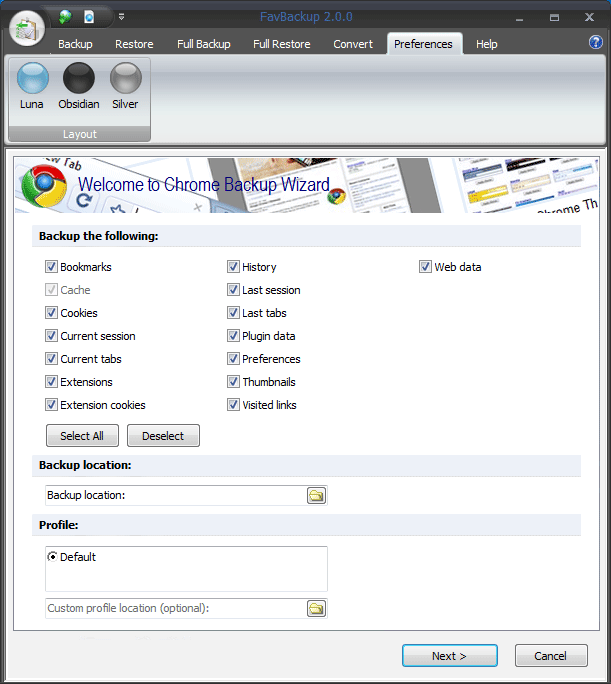

Supported Browsers
- Internet Explorer 8
- Internet Explorer 7
- Internet Explorer 6
- Firefox 8
- Firefox 7
- Firefox 6
- Firefox 5
- Firefox 4
- Firefox 3.7
- Firefox 3.6
- Firefox 3.5
- Firefox 3 – 2
- Opera 11.6
- Opera 11.5
- Opera 11
- Opera 10.6
- Opera 10.5
- Opera 10
- Opera 9
- Safari 4
- Safari 3
- Google Chrome 16
- Google Chrome 15
- Google Chrome 14
- Google Chrome 13
- Google Chrome 12
- Google Chrome 11
- Google Chrome 1-10
- Flock 2.5
- Flock 2.0
Changelog, 14.12.2011
- 2.1.3: Browsers
- Complete changelog
– Firefox: support for users styles backup
Known issues
- General: Restoring backups directly from DVD/CD drive can give error. Copy backup to your PC first.
- General: Works with the English version of Windows only.
Download FavBackup 2.1.3
- .exe (6.00 MB) (FavBrowser.com) | Mirror #1 (Temp disabled)
- .zip (2.50 MB) (FavBrowser.com) | Mirror #1 (Temp disabled)
For the latest development news and updates, follow us on Twitter.


