
How to Remove/Disable Opera Systray Icon
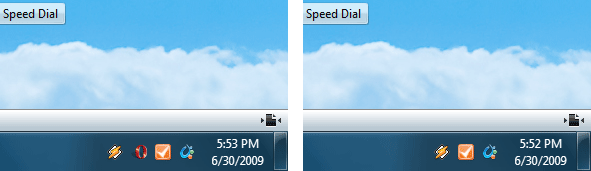
If you love clean working environments, then this is a must use tip for every Opera user. Ever got annoyed by system tray icon? Want to remove it? It’s easier than you thought.
Windows
Right click on Opera shortcut > Properties
Find target fields which should look similar to this:
Target: “C:\Program Files (x86)\Opera\opera.exe”
Replace with: “C:\Program Files (x86)\Opera\opera.exe” /notrayicon (with quotes).
Linux
Find your launcher and edit it by adding -notrayicon in the end.
opera %u -notrayicon
Update: there is an option in opera:config now, check this post for more details.

About (Author Profile)
Vygantas is a former web designer whose projects are used by companies such as AMD, NVIDIA and departed Westood Studios. Being passionate about software, Vygantas began his journalism career back in 2007 when he founded FavBrowser.com. Having said that, he is also an adrenaline junkie who enjoys good books, fitness activities and Forex trading.
Subscribe
If you enjoyed this article, subscribe to receive more just like it.


How does the tray icon become activated?
I believe it happens when you enable mail/rss feeds, thought I am not sure.
Thanks for a great tip :)
Thanks for the tip.
Launcher suffix works in Opera 10.10 – Ubuntu Hardy
but no option in opera:config
Go to tools – Mail & Chat Accounts – right click and delete thats should do it
Thnx abdullah…the previous tips were pretty lame in my opinion but ur one is da best…thnx again man…keep in touch
sorry my previous post got deleted due to wrong email….
I had the same prob….go to tools – mails & chat accounts – right click and delete
That should do it. Cheers
Guys, i could not understand.. I should rename opera’s launcher and write “/notrayicon” after opera? (so that there was opera/notrayicon)?? tnx!