
Tag: Browser
Download UC Browser 3.2 For Windows Phone
 With background downloads and more.
While we wait for the Internet Explorer 11 or Opera, here’s a noteworthy update for all you UC Browser users out there, which, by the way, is currently the most popular web browser in the Windows Phone marketplace.
First in the new features list is ability to download files in the background that will also be resumed in case of connection error or other interruptions.
Continue Reading
UC Browser 3 Released
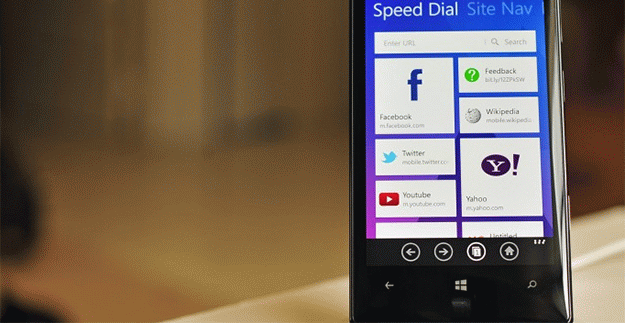
Boasts 300 million global users.
It looks like we won’t see Firefox or Chrome on Windows Phone anytime soon so here is something that has slipped under our radar: UC Browser 3.0.
Although it does not bring any user interface changes like Dolphin (not like there is something wrong with it anyway), there are still a couple of new things that might get you interested.
Continue Reading
Opera 14 For Android Drops The Beta Tag
 Forget opera:config
This is it, guys. A reboot of the Opera web browser for Android is here and it has just dropped the Beta tag.
As we reported back in March, the new version of Opera dropped its own rendering engine in favor of the WebKit that is likely to be replaced with Google’s Blink in the coming future. As far as other changes go: a fresh UI, improved download manager, automatic text wrap and more.
Continue Reading
UC Browser 2.7 For Windows Phone Released
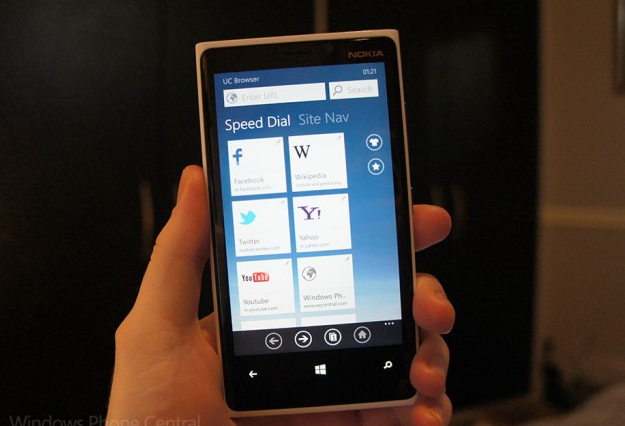
For both WP7 and WP8.
Now here is something to fill the gap in case you are not satisfied with the IE9 or IE10 Mobile: a new version of UC Browser
Continue Reading
Download Opera 12.10 Beta
This is it, after dozens of snapshots and weeks of waiting, the very first beta build of the Opera 12.10 web browser is here.
So what exactly can you expect from the following release? Quite a few changes, actually but most importantly, it promises to improve the overall web sites compatibility thanks to the support of the CSS vendor prefixes, such as: -webkit-background-size, -webkit-transform, etc.
Continue Reading
2 Years Later, People Notice That The Ballot Screen Is Gone
 EU begins investigation.
Well, what do you know, for a feature that was widely requested by a lot of web browser makers, it looks like 1 out of more than 1 billion PC users has actually noticed that his bellowed ballot screen has since disappeared.
Apparently, with the release of Windows 7 SP1, the software giant has accidentally removed web browser choice screen and surprisingly, no one has ever noticed. Not until now, at least.
Continue Reading
Windows Phone’s UC Browser: Speed Dial, Open Links In Background And More

Earlier this month we have covered a Vable Browser, which seemed like a nice alternative to the IE9 Mobile.
Well, today we have discovered even better (and free) web browser, which not only looks fantastic, but also has a Speed Dial (Shortcuts), private browsing (incognito mode) allows you to open links in the background tab and more.
So what else can you do with UC Browser?
Continue Reading
Nook Touch Web Browser
Download not required.
If you own the new Barnes & Noble Nook Touch and are up for some grayscale Internet experience, then we have some good news for you.
Turns out, the popular handheld device has an experimental web browser, which allows you to access various web pages just by typing the URL into the search bar.
Even if browsing not as smooth as the butter, it’s still a nice surprise to all the Nook users.
BlackBerry Webkit Browser Hands-On
Guys at Driphter.com got their hands on the upcoming BlackBerry browser that utilizes Webkit rendering engine.
Although it’s still in early development stages, browser does look promising and we are looking forward to the final version capabilities.
[digg-reddit-me]
Browser Privacy Issue with Few HTC Devices
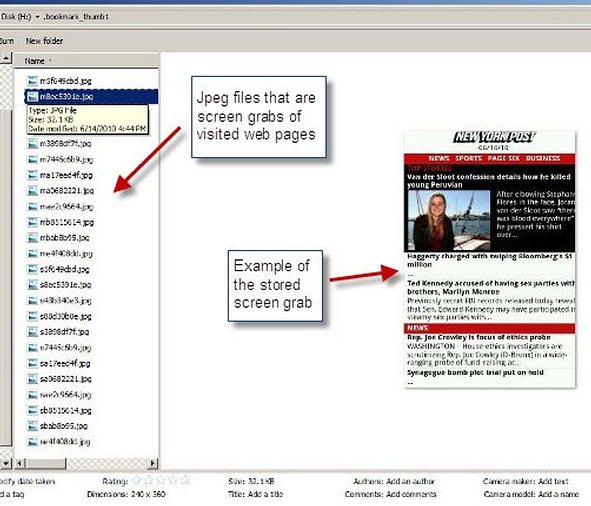
There appears to be an issue with HTC Droid Incredible, HTC Droid Eris, HTC Evo and maybe other devices that run Sense UI.
BGR reports browser privacy bug, where phone would periodically make a screenshot of the contents of your web browser and never delete it.
Furthermore, deleting browser history or even hard-resetting device will still leave those JPEG files in place.
If you want to get rid of them now, navigate to emmc folder and seek for .bookmark_thumb1, that’s where those files are placed.
[digg-reddit-me]


