
Category: Maxthon
Download Maxthon For Kindle Fire 2.6.x
 Well, here is a nice gift for the Amazon’s Kindle users: a new release of the Maxthon web browser.
There is one issue though, we are not sure what the version number is or what are the changes.
On the app page it says v2.6.7, however, the changelog is completely different from the one posted on their official blog.
Anyway, you can grab it here at no cost.
Download Maxthon 1.0 Beta For Mac OS X
Good news for all the Mac OS X users out there, Maxthon, one of the most popular web browsers in China, is now available for both Microsoft’s and Apple’s operating systems.
Although we couldn’t find a list of Maxthon 1.0 features, judging by the screenshot below, it should bring most if not all the goodies from the Maxthon 3.0.
Continue Reading
Maxthon Issues Official Response Regarding The HTML5Test
Reestablishes the trust.
Recently, Maxthon was accused of cheating its score in the HTML5Test but, as it turns out, it’s not all doom and gloom for the Chinese company.
As explained in their official blog post, they simply released a build that (partially) supports Web GL, ‘Get user media’ and ‘Subtitles’ attributes too quickly and that, as a result, caused quite a backlash.
Continue Reading
Maxthon Scams Its Score In The HTML5Test.com
 Thinks that they can outsmart everyone else.
When you start bundling crap with your web browser, you know that there is something fundamentally wrong with your priorities. So, what do you do when you have already lost your dignity and suck at pretty much everything you do? You cheat, obviously.
After claiming that Maxthon scores a total of 467 points in the HTML5Test, Niels Leenheer has found out that this is not exactly the case. In fact, they enabled features that do not actually work, just to boost the meaningless score.
Continue Reading
Maxthon 3.3.9.600 Dominates The HTML5Test, Again
As previously reported, Maxthon 3 has been quite good at supporting the upcoming HTML5 standards. Now, after tasting the sweet fruits of victory, Maxthon developers continue to march forward with a new release.
So what’s new?
The beta build of Maxthon 3.3.9 web browser improves the HTML5Test score by a total of 15 points, up from 437+13 to 452+13.
Continue Reading
3 Main Issues With Maxthon 3
If you’ve been following FavBrowser for a while, then you will know that we like Maxthon quite a lot. It does a lot of things right, however, there are still some flaws that can ruin your experience, especially if you are as judgmental as we are.
So what are those flaws?
1. Clunky Speed Dial
Continue Reading
Mozilla, Microsoft Not Happy With CISPA

As “shocking” as it might sound, it looks like everyone’s hated CISPA is not supported by Microsoft and Mozilla as well.
Citing privacy concerns, both corporations have issued the following statements:
Continue Reading
Maxthon, A New King Of HTML5
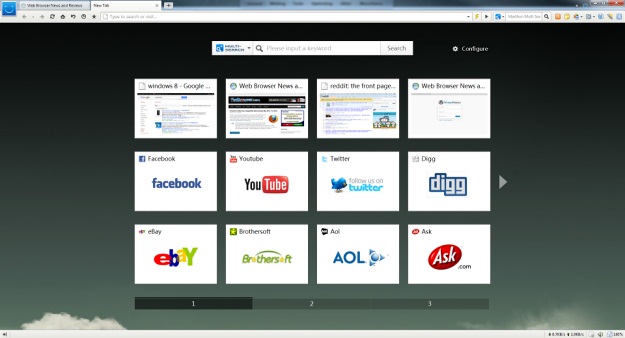
If you’ve ever thought that Maxthon is just a peace of UI on top of a rendering engine, then you were wrong.
Thanks to their continuous effort to drive web standards, Maxthon has been recently added to the HTML5Test and as you might have guessed from the title, they took the lead.
Continue Reading
Maxthon Browser 3.3.6.600 Beta Is Here
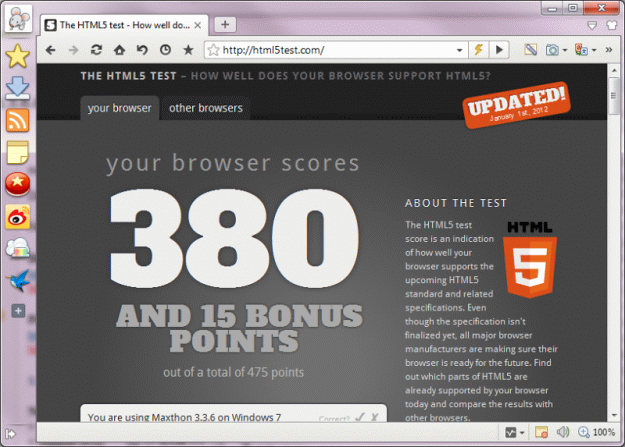
Overtakes Google Chrome in the HTML5 race.
The latest Beta version of Maxthon 3.3 web browser has been recently released and as it turns out, when it comes to HTML5, guys at Maxthon did a really good job as it beats the latest Chromium build by a slight margin.
According to the report, Maxthon 3.3.6.600 scored 380+15 in the HTML5Test while Chromium reached “only” 379+9.
Continue Reading
Maxthon 3, Now With Crapware
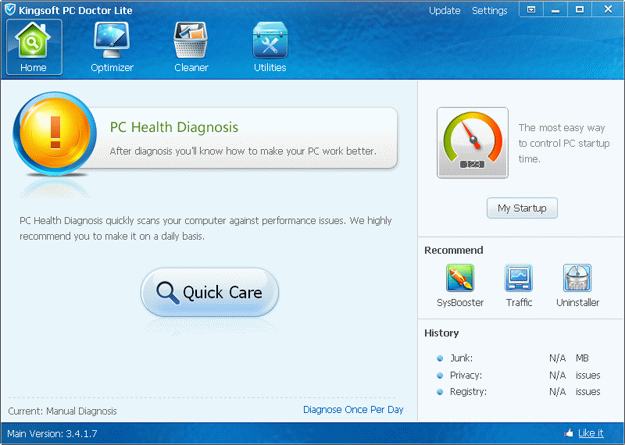
At least it’s not a malware.
You know that time when you’ve slept with a gorgeous woman only in the morning to find out that she is actually a man? Neither do I.
Anyway, upon trying the Maxthon 3.3.4.2000 Final, which has recently been released, there was a suspicious checkbox that, for the entertainment purposes alone, I’ve left unchanged; it said something along the lines of:
Continue Reading


