
Internet Explorer 10 Release Preview Enables “Do Not Track” By Default, Brings UI Changes
 Advertising agencies moan.
In an effort to protect its users and their privacy, the upcoming Internet Explorer 10 will be the very first web browser to have a “Do Not Track” feature enabled by default. Although it’s certainly a very welcome change, some of the advertising agencies have already expressed their dissatisfaction on this matter.
Here is what Digital Advertising Alliance had to say:
The DAA is very concerned that this unilateral decision by one browser maker – made without consultation within the self-regulatory process – may ultimately narrow the scope of consumer choices, undercut thriving business models, and reduce the availability and diversity of the Internet products and services that millions of American consumers currently enjoy at no charge. The resulting marketplace confusion will not benefit consumers, and will profoundly impact the broad array of advertising-supported services they currently enjoy.
In addition to the already mentioned flip ahead feature, here is a complete list of changes from the previous build in both visual and text format
Web Standards
User Experience
Internet Explorer 10 (Metro) Consumer Preview Changelog
– Improved Fast & fluid touch: full independent composition for real web sites (including fixed elements, sub-scrollers, animations, and video)
– Smoother UI transitions and animations with less flicker on low-end hardware
– Support for subset of Flash in Metro style IE for top sites for media playback and gaming
– Support for full-screen HTML5 video, including double-tap zoom to full-screen
– Improved layout for site selection with “light dismiss” and notation for Favorites and Pinned site
– Improved browser command bar layout and favicon treatment, with consolidated navigation bar controls
– Adjust default web page zoom level on high res screens
– Context menu for “Save Image”
– Context menu for “Paste and Go”
– Improved touch visual feedback for following links
– Support for high-res image for pinned sites tile in start screen
– Integrated network trouble shooter in Metro style IE
– Metro style auto-complete drop down
– Flip ahead for next page navigation (user opt-in)
– Do Not Track (DNT) setting on by default
A couple screenshots for your viewing pleasure:
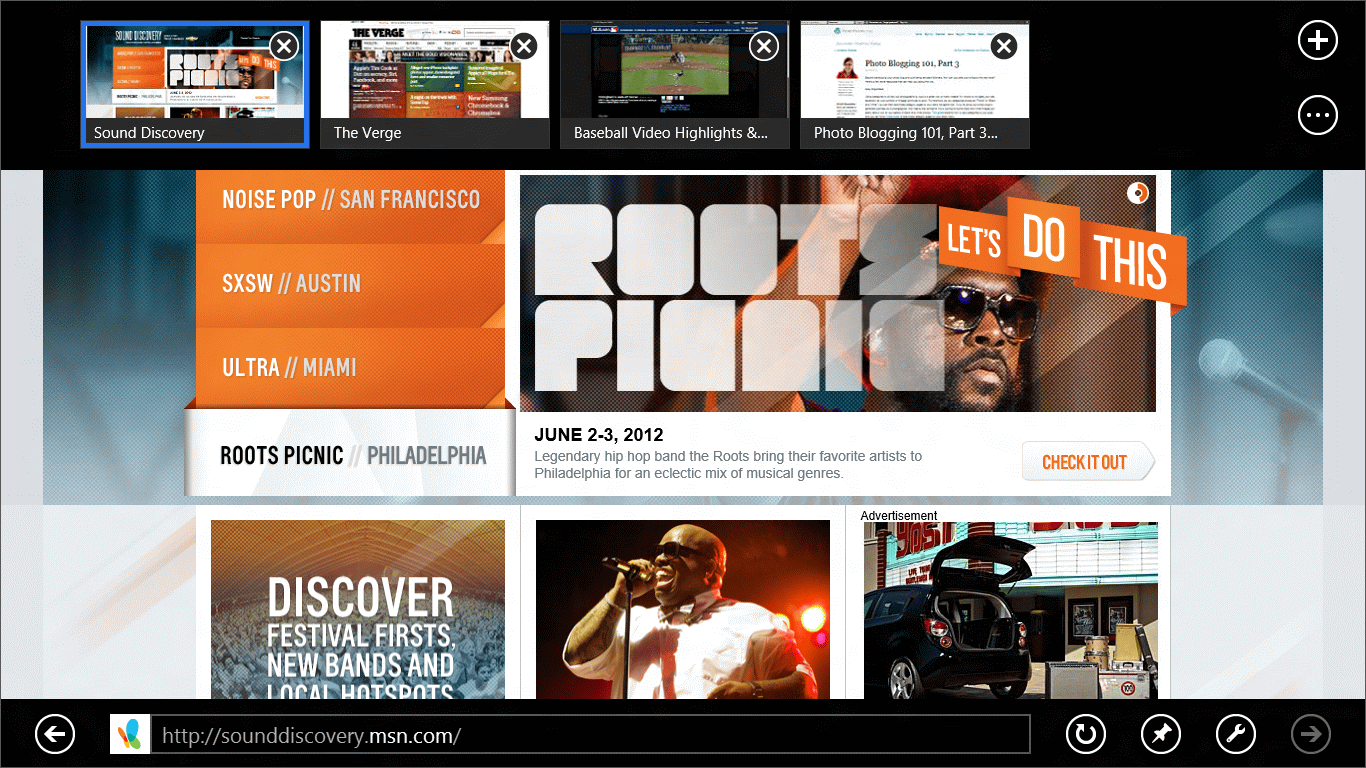
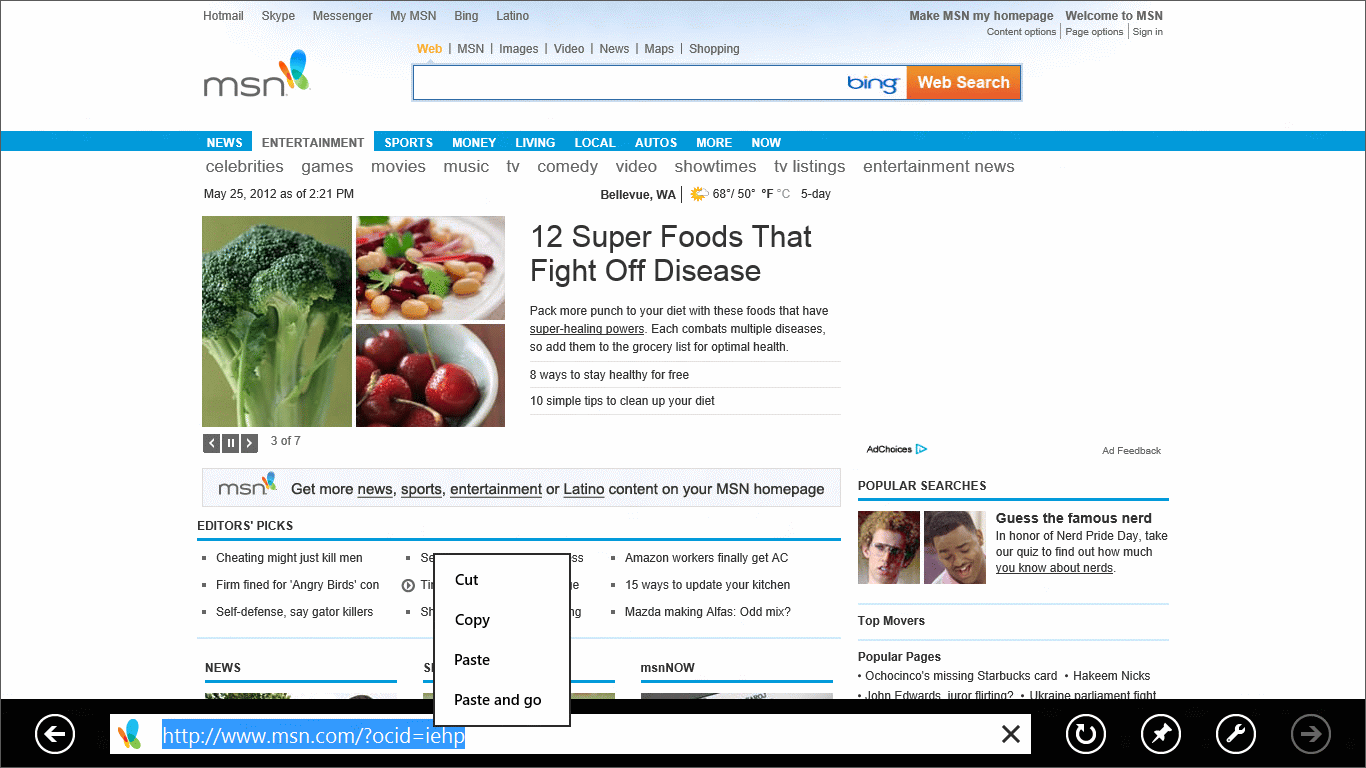

While previous builds mostly focused on various web standards and performance improvements, it looks like Microsoft is now ready to target the overall user experience. Personally, we find those changes way more exciting than something along the lines of “HTML5 score has increased by 5 points”.
Excited?
[Via: Building Windows, Neowin]

About (Author Profile)
Vygantas is a former web designer whose projects are used by companies such as AMD, NVIDIA and departed Westood Studios. Being passionate about software, Vygantas began his journalism career back in 2007 when he founded FavBrowser.com. Having said that, he is also an adrenaline junkie who enjoys good books, fitness activities and Forex trading.
Subscribe
If you enjoyed this article, subscribe to receive more just like it.


In my opinion it was a fail to enable DNT by default. Now it has kind of lost its purpose. If everyone enables it by default, why would an ad network care about the header any longer?
> In my opinion it was a fail to enable DNT by default.
Do you think that the majority of users would prefer to be either:
a) tracked
b) not tracked?
This statement actually scares me. We got used to being tracked so much that we think it’s wrong to disable it by default. Personally, I don’t remember signing up for any sort of tracking. Do you?
Any sort of tracking and data collecting should be disabled by default.
> why would an ad network care about the header any longer?
If they want to stay in business, they will have to
‘Do Not Track’ Regulation Set to Be Enforced Across Europe
http://pymnts.com/news/businesswire-feed/2012/may/23/do-not-track-regulation-set-to-be-enforced-across-europeus-next-visistat-solves-the-problem-on-both-sides-of-the-pond-20120523005533/
On this one, he is right.
“Do Not Track” is nothing but a written request towards the server, which is “Please, do not track me!”
So the server can simply reply “Oh yes, I will!”
This isn’t an active track-blocking, like Ghostery. And even if it will be enforced in the EU (not the whole continent), the rest of the world is still allowed to simply deny that DNT request.
By enabling this as standard, Microsoft have broken the agreement, and now advertising companies can just ignore DNT headers.
All this has achieved is 5 minutes of fame for Microsoft, for people too stupid to understand the implications, and has ruined it for FF, Opera, Safari users that DO go to the effort to enable DNT.
It’ll make ads harder to target, and as such lose a lot of relevance. It means ads will become less useful and more of a nuisance than they are now. If people are gonna jump up and rejoice at the demise of ad agencies, they need to hold their horses and remember a lot of sites are supported by ads. Though I do not like ads, and it doesn’t help me because I’m in a country which doesn’t get served by major ad agencies, I understand the necessity of their existence and the vital role they play in the web ecosystem. Ads are a huge driving force of the “free” web and stifling the ad agencies will not benefit the cause of furthering the web a whole lot.
I can understand how people may find being tracked scary but I have never heard of people coming in harm’s way due to being tracked by ad agencies. It’s probably a big issue in individualistic society like US where people want to be alone and left alone. I understand being afraid of being tracked by govt. agencies, but ad companies? Meh.
IE 10 definitely rocks here!!!
It’s shit, and if it’s anything to do with Metro UI, i’m staying well clear.
Metro is horrendous, and I won’t be buying anything it comes with. (not that I would ever want and Xbox or a Windows Phone anyway…)
Eat it Digital Advertising Alliance. Just EAT IT. I don’t want to be tracked, not now, not never.
Everyone please install Ghostery!
Now, is it me, or Metro UI is the most ugly thing that we have ever seen in our life, for a massive product?