
How to Turn Off Opera Dragonfly?
 I would like to give a small tip to Opera team. Please, add a feature to turn off developer tools by using “X” button in the right corner. I actually haven’t figured out yet how turn it off. Though remember that somehow I managed to do that in old builds.
Screenshot below:
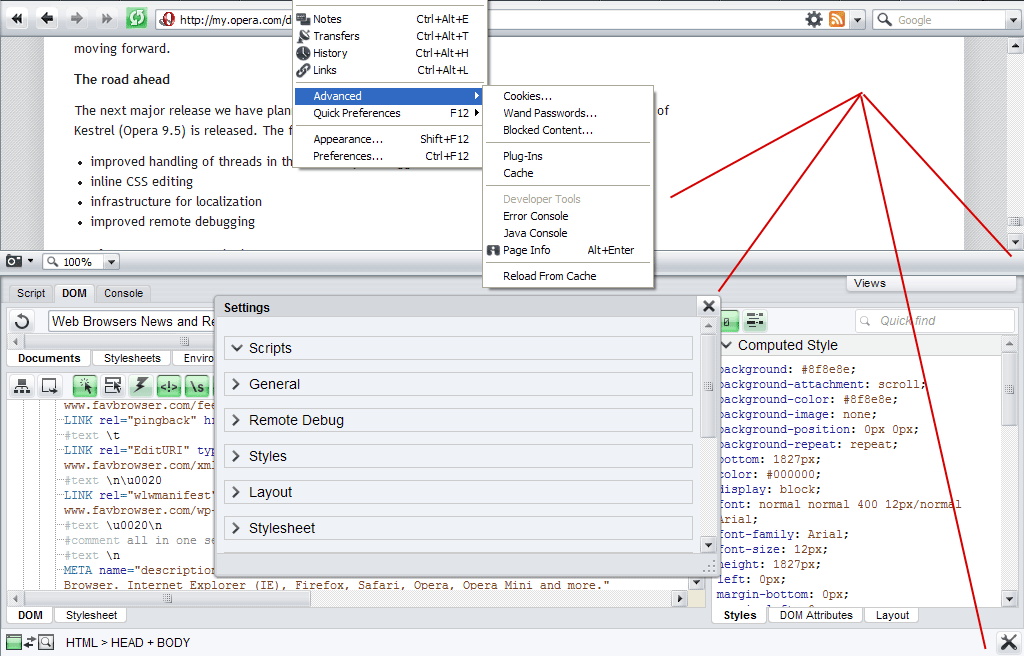
Click to enlarge.
Red line indicates the places where I was looking to turn this thing off. Ideas?
Edit: Solution (thanks to anonymous):
Type opera:config in the address bar, find “Developer Tools”, replace “Developer Tools URL” with the following:
https://dragonfly.opera.com/app/weekly/
Click “Save”. Restart Opera.

About (Author Profile)
Vygantas is a former web designer whose projects are used by companies such as AMD, NVIDIA and departed Westood Studios. Being passionate about software, Vygantas began his journalism career back in 2007 when he founded FavBrowser.com. Having said that, he is also an adrenaline junkie who enjoys good books, fitness activities and Forex trading.
Subscribe
If you enjoyed this article, subscribe to receive more just like it.


http://my.opera.com/dragonfly/blog/
Same issue here.
CTRL+W closes Dragonfly when it’s in focus. Or go back up to where you turned it on, and there you see “close developertools”.
Hi Hans,
U are the man, thanks a lot!
I’ve just downloaded 9.5 and got Dragonfly stuck until I found this page by googling. There’s no obvious way to turn if off (who is going to think of Ctrl-W?) and the menu item which activated it- Tools/Advanced/Developer Tools was simply greyed out and couldn’t be clicked again.
Looks like something of a problem to me.
I am glad that you’ve solved your issue.
that’s easy DON’T click onto on the bottom right of your keyboard next to the right hand version of ctrl THAT activates dragonfly as long as you DON’T click on that your fine, through honestly is there really a reson to include dragonfly onto opera anyways
Thanks for ctrl-W, it helped.
It’s possible to drop a button to turn on/off Opera dragonfly: select Menu > Appearance > Buttons > Browser view and move Opera Dragonfly somewhere on the panel. Now opening/closing the pane is as easy as clicking a button.
This is so frustrating to have something like this crap “Dragonfly” to accidentally open up and start running and have no way to stop it or turn it off that is apparent.
This is something that should be downloaded and installed separately for someone that wants it.
Alan