
How To Activate Autocomplete In Firefox 4
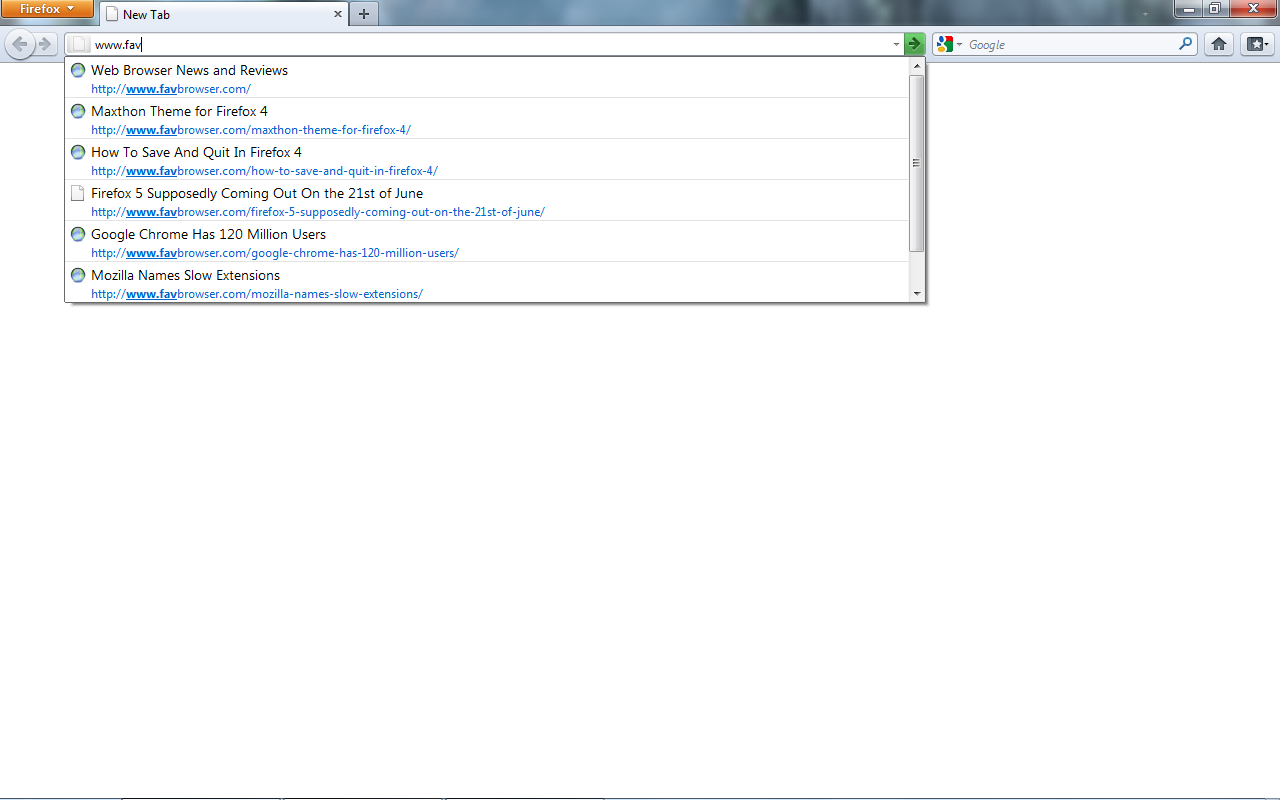
Firefox 4 without Autocomplete.
Both Opera and Chrome have autocomplete as standard in the address field so surely a browser as customizable as Firefox 4 would have a feature as simple as autocomplete as well, no? Turns out that it does!
Here’s how to activate it:
Type about:config into the address bar and hit enter. Then click the “I’ll be careful, I promise!” button.
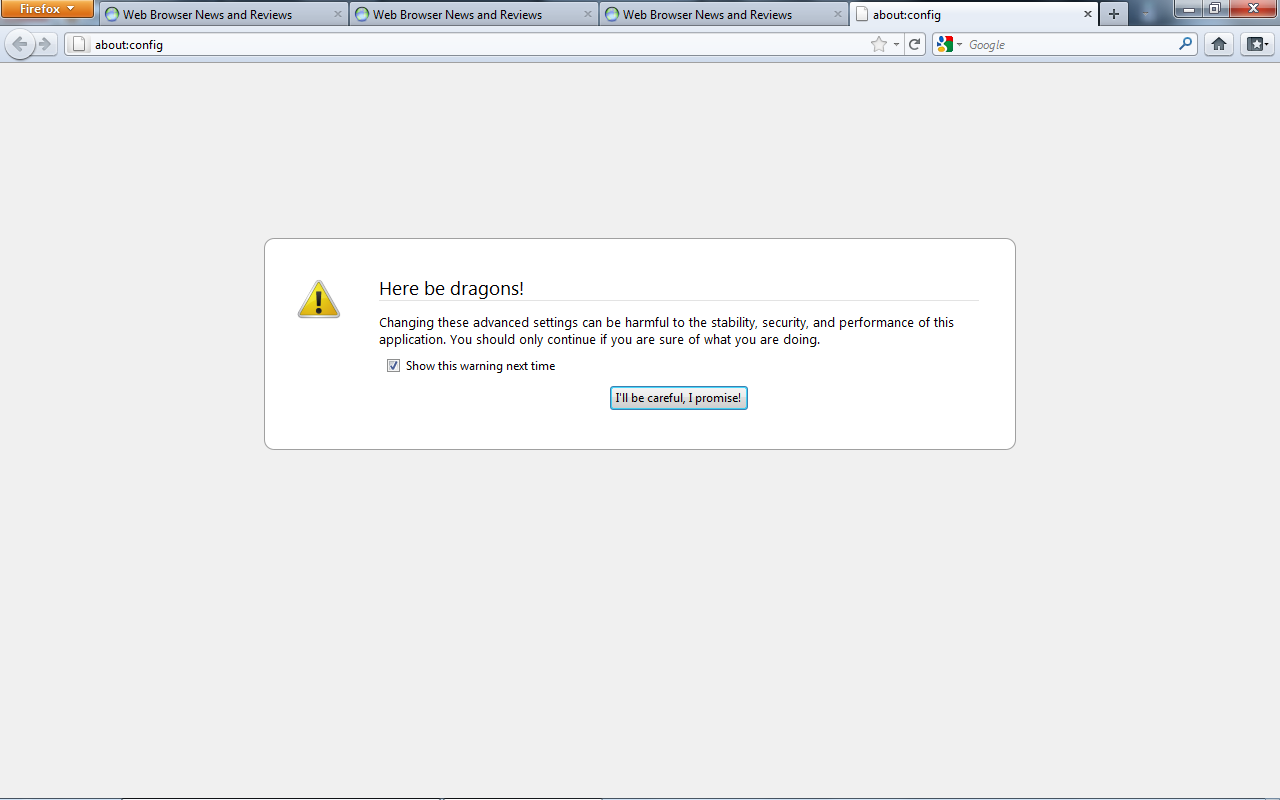
Firefox and Dragons.
Then type browser.urlbar.autoFill into the filter bar and hit enter. Double click to set the value to true.
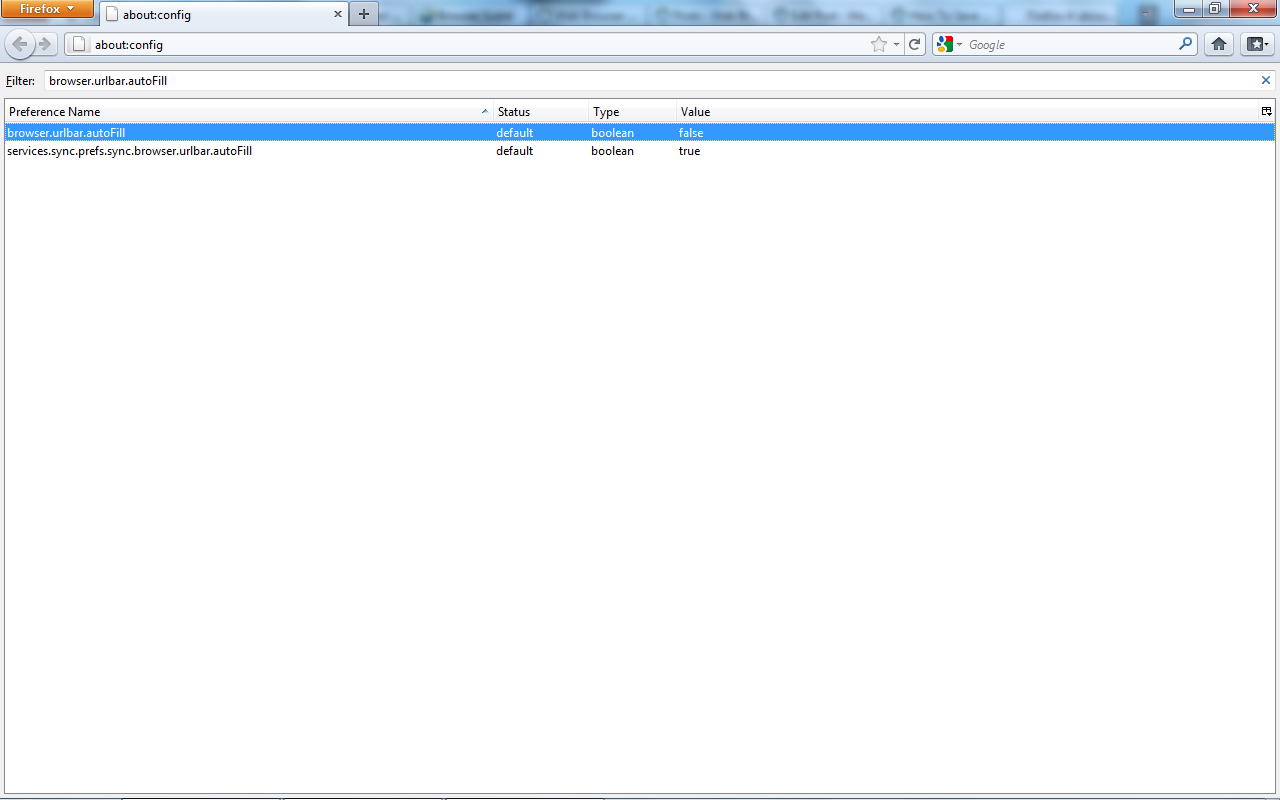
Set the value to true!
You should then find that Firefox completes the URL that you are typing for you.
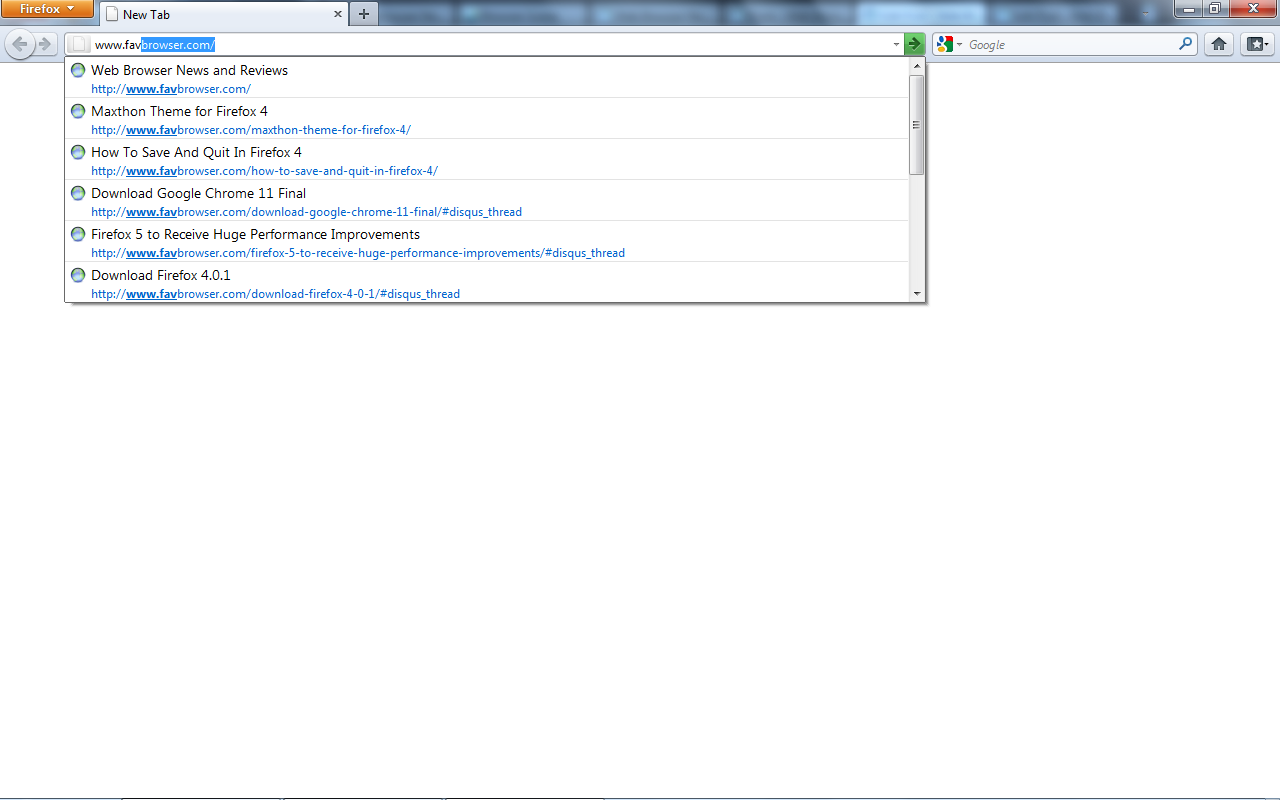
Firefox 4 Autocomplete in Action.
Nevertheless, you’ll still have to type www. for autocomplete to work in Firefox as opposed to Opera or Chrome. Here’s an example from Opera:
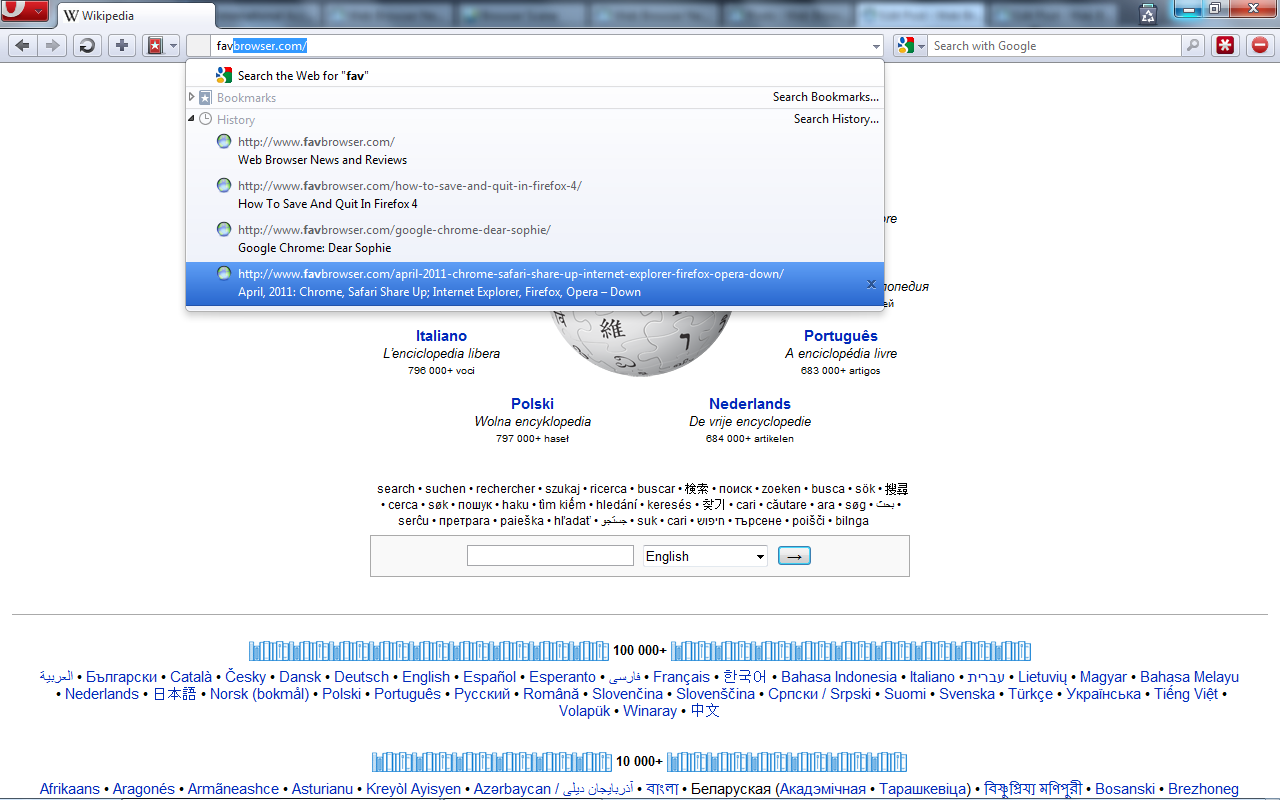
Opera Autocomplete in Action.
Enjoy saving a few more seconds while surfing the web!

About (Author Profile)
Being passionate about software, Armin joined FavBrowser.com in early 2011 and has been actively writing ever since. Having accepted the challenge, he also enjoys watching anime, indulging in good books, staying fit and healthy, and trying new things.
Subscribe
If you enjoyed this article, subscribe to receive more just like it.


Awesome tip, thanks!
You don’t have to write “www”
https://addons.mozilla.org/en-US/firefox/addon/mozilla-labs-prospector-speak-/
Wow an extension that complements something Firefox doesn’t do and is present in Safari, Chrome and Opera since forever, now in IE… Thanks…!
isn’t FF the most user friendly and intuitive browser out there?
No!
FF just use chromium and make a browser call firechrome at-least it will be better than current FF.
you must be joking
i found autocomplete to be more of a hassle than anything else and ended up disabling it
Guess what? I didn’t.
Can you elaborate?
If i hit the wrong button while typing, I’ll instinctively hit the backspace button. however, if autocomplete is showing something, then only that will be removed, not the typo.
But you simply can’t have made a typo and have autocomplete for it: the address with the typo won’t be a stored autocomplete address!
you must not be a coder. what if the first letter you press was the wrong one?
You might look on the screen to know if you made a typo and double backspace anyway, it’s nothing related to autocomplete. Without it this would be much worse: you’d type it all and discover after the website doesn’t open (with autocomplete you’ll miss the autocomplete).
I don’t type the whole address, I use the site suggestions that show below the address bar.
i have nothing against autocomplete, just the way that all the browsers have implemented it. if they hooked it up to the tab button so that you control when it fires, then i would love it.
Then it’d be the same thing as the down arrow…!
If you don’t like it anyway: opera:config#UserPrefs|AddressbarInlineAutoCompletion
I found it annoying that FF4 has disabled this feature by default. Before I came across this tip after upgrading to FF 4, it was driving me mad that I had to think and recall the correct “Client code” for a login field for the projects I am working on as there are different ones for different sites.
I personally think that FF 4 has tried too hard and has actually made it less user friendly. I really hate the orange Firefox tab at the top which you need to click to see the available options. Before, I only had to click once on the tab I wanted but now I have to click on that orange tab first and then more clicks.
Unless I am misunderstanding, you don’t need to click the Firefox menu button at all. Just click the Firefox menu button, go to Options, and click Menu Bar. That should fix it.
Unless I am misunderstanding, you don’t need to click the Firefox menu button at all. Just click the Firefox menu button, go to Options, and click Menu Bar. That should fix it.
superb…!!!