
Category: Tips
Opera Launcher
 Here is a nice little tool for Opera users which is called Opera Launcher. What it does is basically expands web browser with setting such as:
No tray icon (my personal favorite)
Disables crash start up dialog
Backups data
and many more
Click here for more information and download link.
Free Organized To Do List
This is not a web browsers related tip but I’ve been using the following organized to do list for so long (free) that I just couldn’t resist to recommend it for anyone, who is looking for a free, yet effective tasks managing software.
I was struggling for months to find a nice looking organizer until this one (ToDoList) was recommended to me. Continue Reading
Tweak Your Firefox 3 Download Manager
 The download manager was dramatically improved for Firefox 3: a progress indicator in the status bar, automatic antivirus scans, a streamlined interface with filtering capabilities, and most notably, download resuming across sessions.
As usual, you can use all these enhancements without touching anything, or go the customization way and tweak a preference or two.
Resume an Accidentally Removed/Missing Transfer in Opera
 This tip will help you to resume a download (especially large size) in the following cases.
Accidentally removed transfer from the transfers tab.
Closed Opera with an intention to resume download next day but transfer is missing when Opera is started.
Resume download using another mirror.
1. Rename the downloaded part Continue Reading
Firefox 3 – 8 Things You Didn’t Know You Could Do
This one sounds good. Logan Kugler posted about 8 things which you probably didn’t knew about Firefox 3, such as:
Duplicate tabs with drag-and-drop.
Minimize the toolbar.
Use smart bookmarks.
Send e-mail via Yahoo! Mail or Gmail by default.
Change the behavior of the Awesome Bar.
And bit more…
How to Speed Up Firefox?
Here is a great tip from shashank on how to make Firefox 10 times faster.
1. Type “about:config” into the address bar and hit enter. Scroll down and look for the following entries:
2. Alter the entries as follows:
Set “network.http.pipelining” to “true”
Set “network.http.proxy.pipelining” to “true” Continue Reading
Firefox, Safari, Opera Doesn’t Load CSS Stylesheets?
Are you having issues viewing various web pages from time to time where css style sheets don’t load?
Solution might be simpler than you thought. One of the reasons why it can happen is due to AdBlock. In case you are blocking ads on the web page, unblock them all and try now.
It worked for me.
Firefox 3 Download Problems?
Are you receiving an annoying “This download has been blocked by your Security Zone Policy” error? According to a quote from FirefoxFacts:
Starting in Firefox 3, downloads of executable files (e.g., .exe or .msi) may fail and the Firefox Downloads window will contain this message, under the filename: This download has been blocked by your Security Zone Policy. Continue Reading
Change Opera Theme Color Scheme
Since there was a tip on changing Firefox 3 color scheme, this one is for Opera users.
If you are using Opera 9.5 and don’t know this trick yet, you can easily change skin color scheme by following those steps:
Tools > Appearance
Find “Color Scheme” setting in the bottom and play with it.
Change Firefox Theme Color Scheme
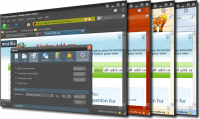 Are you tired of your current Firefox skin? It’s so well made that you just don’t want to change it with any other one? How about a small modification?
With Firefox add-on AnyColor 0.2.0 you can change Firefox 3 theme color scheme.
As it says:
A dynamic theme that lets you customize its appearance on the fly.
Visit AnyColor 0.2.0 Add-on Page
Via FirefoxFacts
[digg-reddit-me]


