
Category: Tips
Weekly Browsers Recap, November 1st

FavBrowser.com
• HTML5: Internet Explorer 9 (IE9) vs. Google Chrome 8 vs. Firefox 4 vs. Opera 11 vs. Safari 5
Today, we test five most popular web browsers to find out…
• Shocker: Browser Ballot Screen Made Little to No Difference
When it comes to market share statistics, it looks like everyone’s…
Continue Reading
How to Disable Internet Explorer (IE) Script Errors
 Are you annoyed by IE script error messages? Here’s how to disable them:
– Tools > Internet Options.
– Open Advanced tab
– Find Browsing section
– Check the following boxes:
Disable script debugging (Internet Explorer)
Disable script debugging (Other)
– Click OK
All set.
Steal Facebook, Twitter Accounts with Firesheep
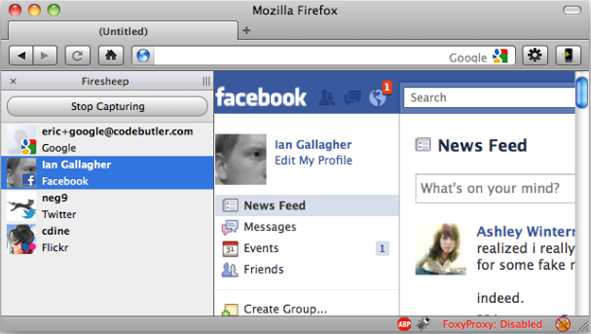
Now here is something different.
Eric Butler has released a Firefox extension called Firesheep, which will give you an access to other people social media accounts, as long as both of you are connected via insecure WiFi.
How does it work?
Continue Reading
Weekly Browsers Recap, October 25th
FavBrowser.com
• Browsers Are Awesome!
See the video.
• So I Close Firefox After Watching Some Porn…
Not 100% browsers related, but hey, it has “Firefox” in the title, so here…
Continue Reading
Opera: How to Prevent Flash from Loading (Load on Mouse Click)
 Do you want to load Flash videos (or other plugins) only after you mouse click on them? Here is how, go to:
Preferences > Advanced > Content and check “Enable plug-ins only on demand”.
P.S. This method will only work in Opera 11 Alpha and above.
See opera:config for alternatives.
2 Maxthon Halloween Themes (Skins)
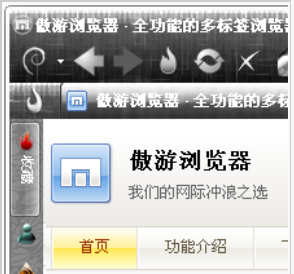
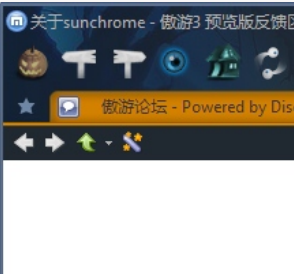
Using Maxthon 2 web browser and want to enhance it for the upcoming Halloween? Try those two themes.
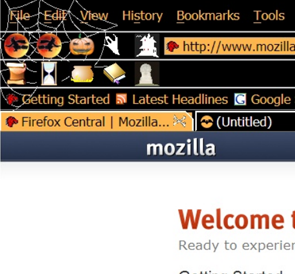
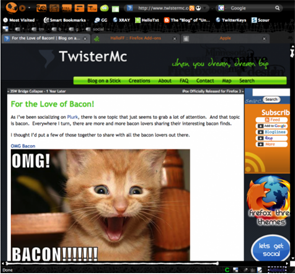
6 Firefox Halloween Themes (Skins)
As Halloween is just around the corner, he are a couple of Firefox 3.5, 3.6 and 4.0 themes for you to try.
Weekly Browsers Recap, October 18th
FavBrowser.com
• All the Way to Internet Explorer 13
It seems like Microsoft decided to increase its domain names portfolio, as company…
• New Firefox Trojan Spotted
It looks like a new Firefox Trojan is in the wild and none of the antivirus programs can…
Continue Reading
Weekly Questions Recap, October 18th

Unresolved
- How to find which Firefox, Chrome or other browser tab are playing flash or audio?
- Is it possible to use Silverlight in Ubuntu using Opera?
- Which browser do you think is better and easy-to-use?
- Do you think we can get purdi on here?
- How do I create Favicons?


