
Category: Opera
Opera and MegaFon Signs a Mobile Internet Deal
 In yesterday’s press release, Opera Software and Russian mobile operator MegaFon, has announced a new partnership, under which MegaFon’s “Unlimited Internet with Opera Mini” package will be made available to all Russian territories (that’s more than 53 million mobile subscribers total).
Back in September 2009, MegaFon signed a similar deal that provided unlimited mobile web access to Moscow region only.
However, as press release says:
Continue Reading
Opera Software 15th Anniversary
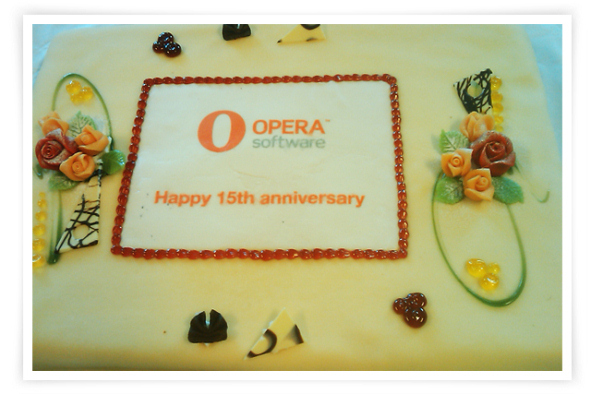
Started in the year 1994 and founded in 1995, by Jon Stephenson von Tetzchner and Geir Ivarsøy, today Opera Software is celebrating its 15th year anniversary.
Happy anniversary!
[digg-reddit-me]
Weekly Browsers Recap, June 21st

FavBrowser.com
• The Difference between Google Chrome and Chromium
Softpedia has published a great article on Google Chrome and Chromium differences.
• Flock Ditches Firefox in Favor of Chromium
Flock Inc., company behind well known social web browser has released the very first Beta of Flock 3.0.
Continue Reading
Opera 10.54 Released
Opera Software has released a security update for Opera 10.5 web browser that fixes a total of 5 vulnerabilities.
Changelog (Windows):
Prevented Opera from being used as a vector for a font issue in the underlying operating system, as reported by Microsoft’s security team
Fixed an extremely severe issue; details will be disclosed at a later date.
Fixed a highly severe issue; details will be disclosed at a later date.
Fixed a moderately severe issue; details will be disclosed at a later date.
Fixed a less severe issue; details will be disclosed at a later date.
[digg-reddit-me]
Web Browser Add-Ons and Themes for World Cup Fans
 Although FIFA world cup has already started, it’s not yet too late to tweak your browser accordingly and get into soccer mood.
Here are few useful extensions for Internet Explorer, Firefox, Chrome and Opera users.
Internet Explorer
Opera 10.60 Beta Hits the Streets
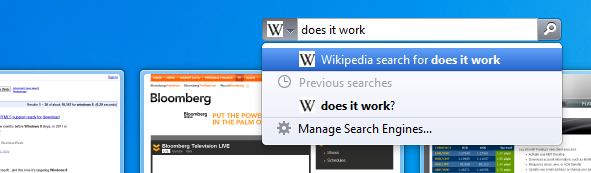
Just few days after the recent Opera build, with improved HTML5 features support, Opera Software has released the very first beta of Opera 10.60 web browser.
Version 10.60 introduces speed improvements and few new features, such as:
Smarter Searching
More efficient search with new search suggestions feature (did not work).
HTML5 Features Support
Opera now supports WebM in HTML5 video: a high quality, free and open video format.
You can add location awareness to your web applications to expand the possibilities of what you can offer.
… and more
Thanks to Ichann for the news tip.
[digg-reddit-me]
Latest Opera Snapshot Receives More HTML5 Features Support
Today’s Opera browser snapshot (non-stable) has introduced a support of four HTML5 related features, as well as Cross-Document Messaging update.
Those features are:
WebM support for HTML5 video (demo)
HTML5 Offline Web Applications (demo)
Geolocation (not fully implemented in FreeBSD/Linux builds yet) (demo)
Web Workers (demo)
On a side note, Bing is now set as a default Speed Dial search engine. For a complete list of changes, visit the following post.
Download: (use it on your own risk)
Thanks to “narzędzia pneumatyczne” for the news tip.
[digg-reddit-me]
Track Web Site Changes in IE, Firefox, Chrome, Opera, Safari and More
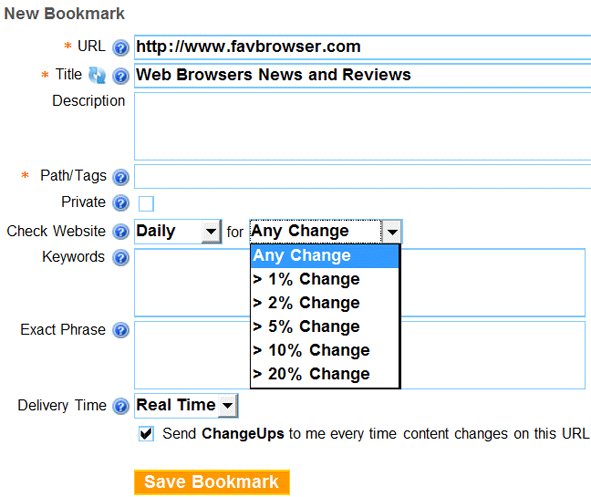
Now, there are quite a few extensions to track web page changes. Unfortunately, they are made for certain web browsers only.
What’s the solution?
Try Diphur.com. It is a simple bookmarking service that will do this for you. Therefore, you will be able to use it on any web browser.
Not ideal, but still, better than nothing.
[digg-reddit-me]
Proper Web Browser (Picture)
Now here is an interesting one. TaerkEX, a member of DeviantART has created a simple APNG (Animated PNG) animation.
What’s so great about that?
Well, picture contains two frames. Therefore, if your browser does not support APNG, you should only see the very first one.
Like this (.gif format):
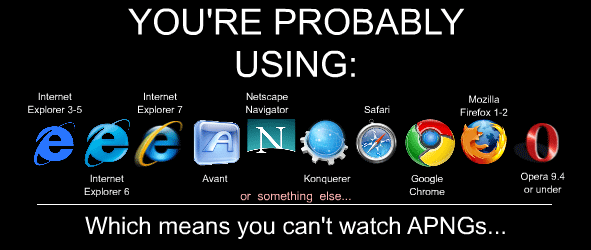
Otherwise (.gif format):
Continue Reading
Weekly Browsers Recap, June 7th
FavBrowser.com
• Microsoft Pushes Hard with Internet Explorer 9
It looks like Microsoft IE team tries to do its best to make you forget about Internet Explorer 6/7 mess.
• Internet Explorer 6 Market Share to Reach 10% in 2010
If we analyze Microsoft Internet Explorer 6.0 market share trend, the following conclusion can be made.
• Mozilla to Add Weave Sync for the Next Firefox Release
It appears that Mozilla has decided to integrate data synch feature into the upcoming major Firefox release.
Continue Reading


